In this article
Bluesky, also know as Bluesky social, grew by nearly 60% in 2025, crossing 40 million users — and it's not slowing down. If you've been wondering whether to add Bluesky to your social media strategy, the answer is probably yes. The harder question is: how do you stay consistent on another platform without burning out?
The first thing to know: Bluesky doesn't have a built-in post scheduler. That means if you want to plan your content in advance (which you definitely should), you need a social media scheduler that supports Bluesky. But wait... MeetEdgar does!
In this article, we'll walk you through how to schedule Bluesky posts using MeetEdgar, cover the platform's post specs, and share best practices for keeping your feed active without losing that authentic feel Bluesky is known for.
Can you schedule Bluesky posts?
Yes, but not directly in the app. Bluesky doesn’t have a built-in scheduling feature, so the best way to plan and automate your posts is through a third-party tool like MeetEdgar.
That’s pretty common for newer platforms, and it’s not a dealbreaker. With a social media management tool, you can schedule Bluesky posts and centralize your other social profiles in one place.
Once you connect your Bluesky account to MeetEdgar, the process is just as smooth as scheduling posts for X or LinkedIn. You get the same dashboard, content library, and set-it-and-forget-it workflow.
How to schedule Bluesky posts with MeetEdgar
MeetEdgar supports Bluesky scheduling alongside every other major platform. Here's how to get set up.
Before you start: If you don't have a MeetEdgar account yet, you can start a 30-day free trial.
Step 1: Connect your Bluesky account
Log in to your MeetEdgar account and navigate to your account settings. From there, add Bluesky as a social account. You'll authenticate directly with your Bluesky credentials, and MeetEdgar will connect to your profile.
Before authenticating, you'll need a Bluesky App Password — a separate password that gives MeetEdgar permission to post on your behalf without using your main account password. It's a security feature built into Bluesky, and it takes about 30 seconds to set up.
Generate your app password in Bluesky here, then paste it into MeetEdgar when prompted.
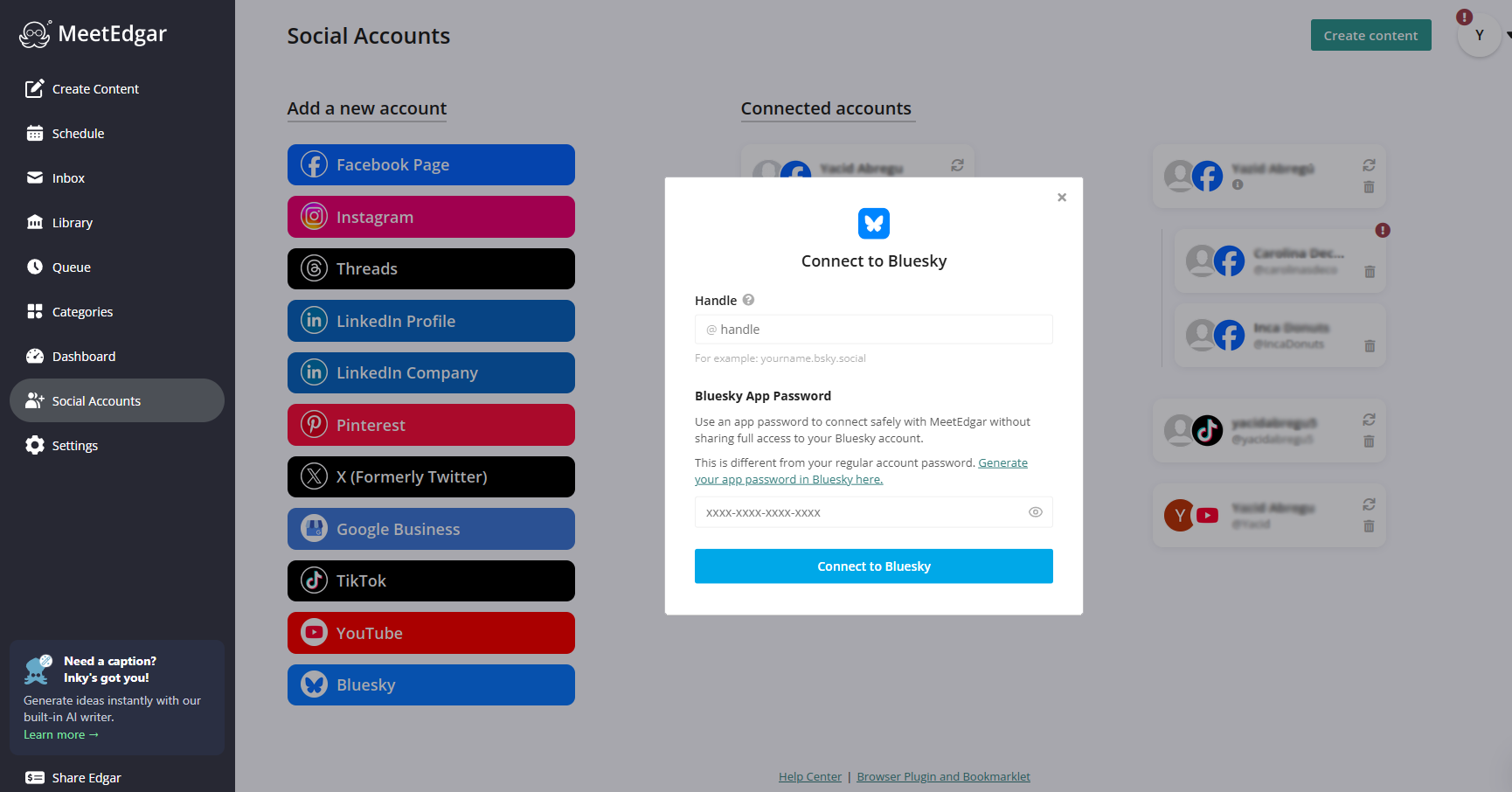
You only need to do this once. After that, Bluesky will show up as an option every time you create a post.
Step 2: Create your post
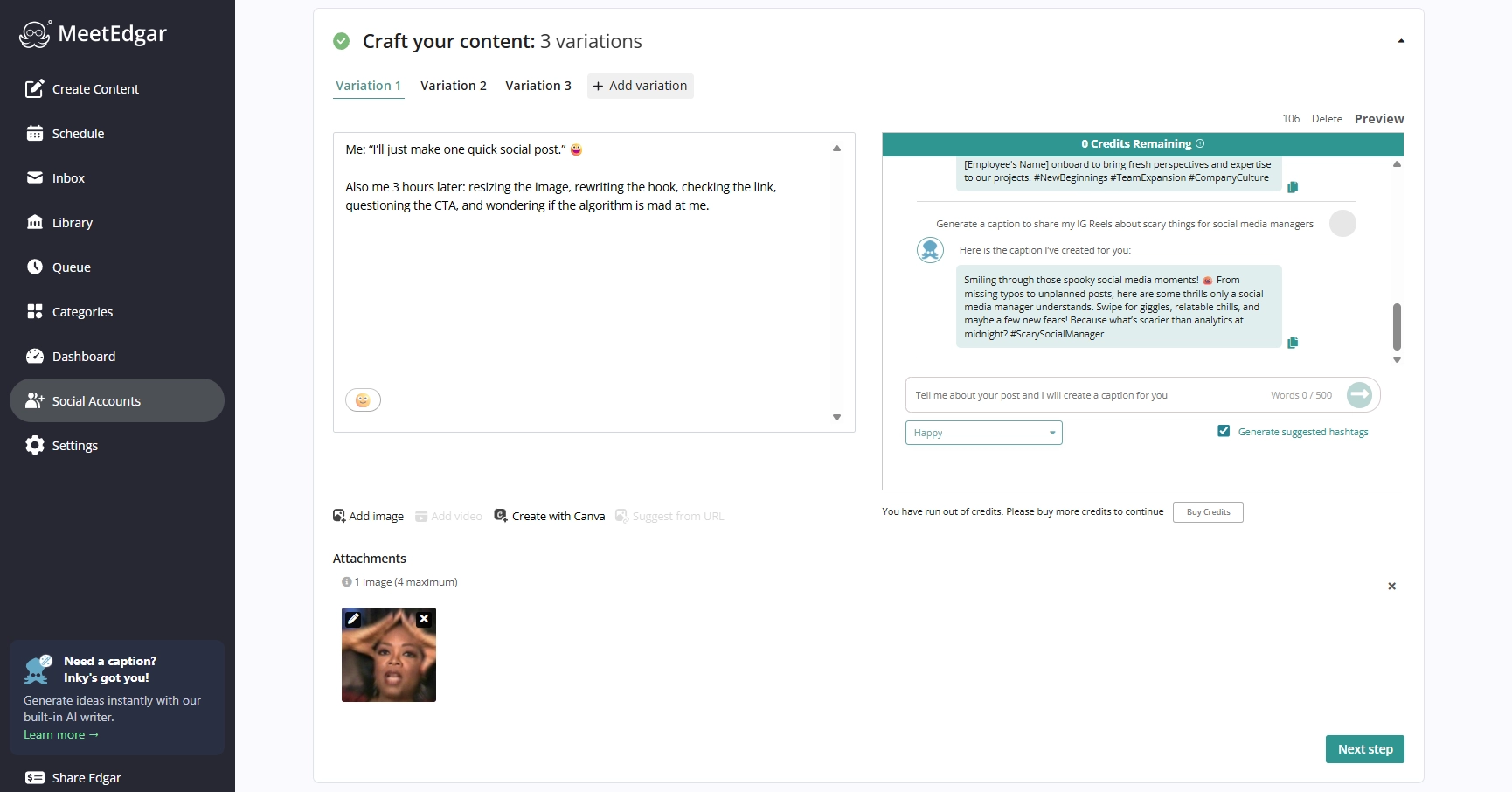
1. Click "Add Content" in your MeetEdgar dashboard to open the content composer.
2. Select your Bluesky account from the platform options.
3. Then write your post directly in the composer — or use Inky, MeetEdgar's AI caption generator, to help you brainstorm or draft your content.
You can also use the variations feature to generate different posts from a blog URL.
4. Upload images or video: You can enhance your BlueSky post by adding media directly inside the Edgar composer.
Step 3: Choose how to publish
Once your post looks good, MeetEdgar gives you three options:
- Add to Library —Your post gets added to your content library, where you can let Edgar automatically reshare it on a recurring schedule or save it for later. Great for evergreen content that you want to keep circulating.
- Post Now — Publishes immediately. Handy when something is time-sensitive and you don't want to wait.
- Schedule for Later — Pick a specific date and time, and Edgar will publish the post automatically.
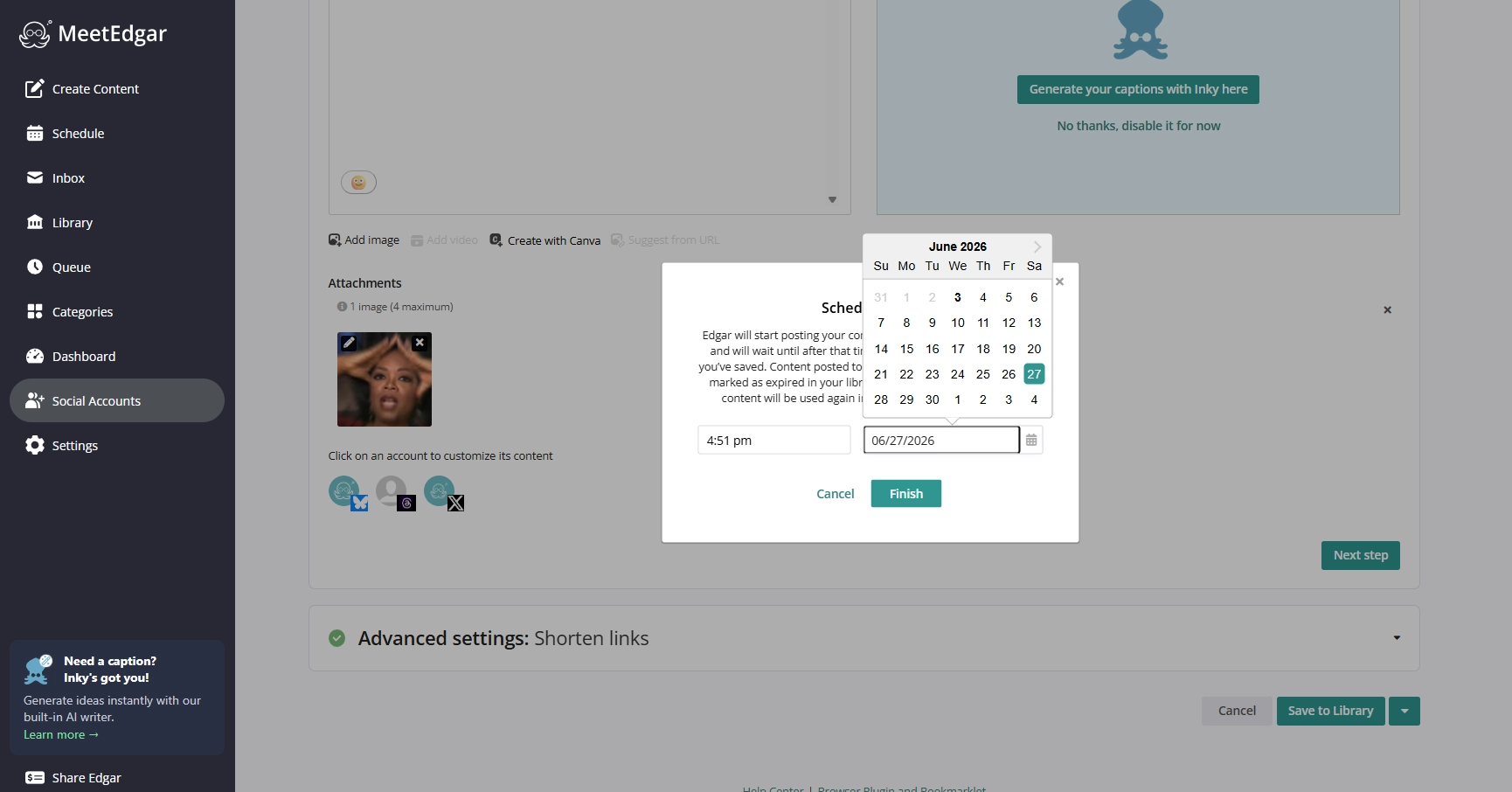
That's it. Edgar handles the rest.
Bluesky post specs to know before you schedule
Bluesky is more text-forward social media, so shorter posts with a clear point tend to perform better. Here's a breakdown of the specifications for Bluesky posts:
How to bulk schedule Bluesky posts
If you want to get ahead on Bluesky without spending hours in a dashboard, bulk scheduling is the move. MeetEdgar gives you a few ways to load up your Bluesky queue all at once:
- Category-based automate scheduling. Create a category in MeetEdgar’s content library, such as “Bluesky Tips” or “Bluesky Evergreen,” and fill it with content. Then, assign time slots to that category, and Edgar will automatically work through the queue and recycle posts once it reaches the end.
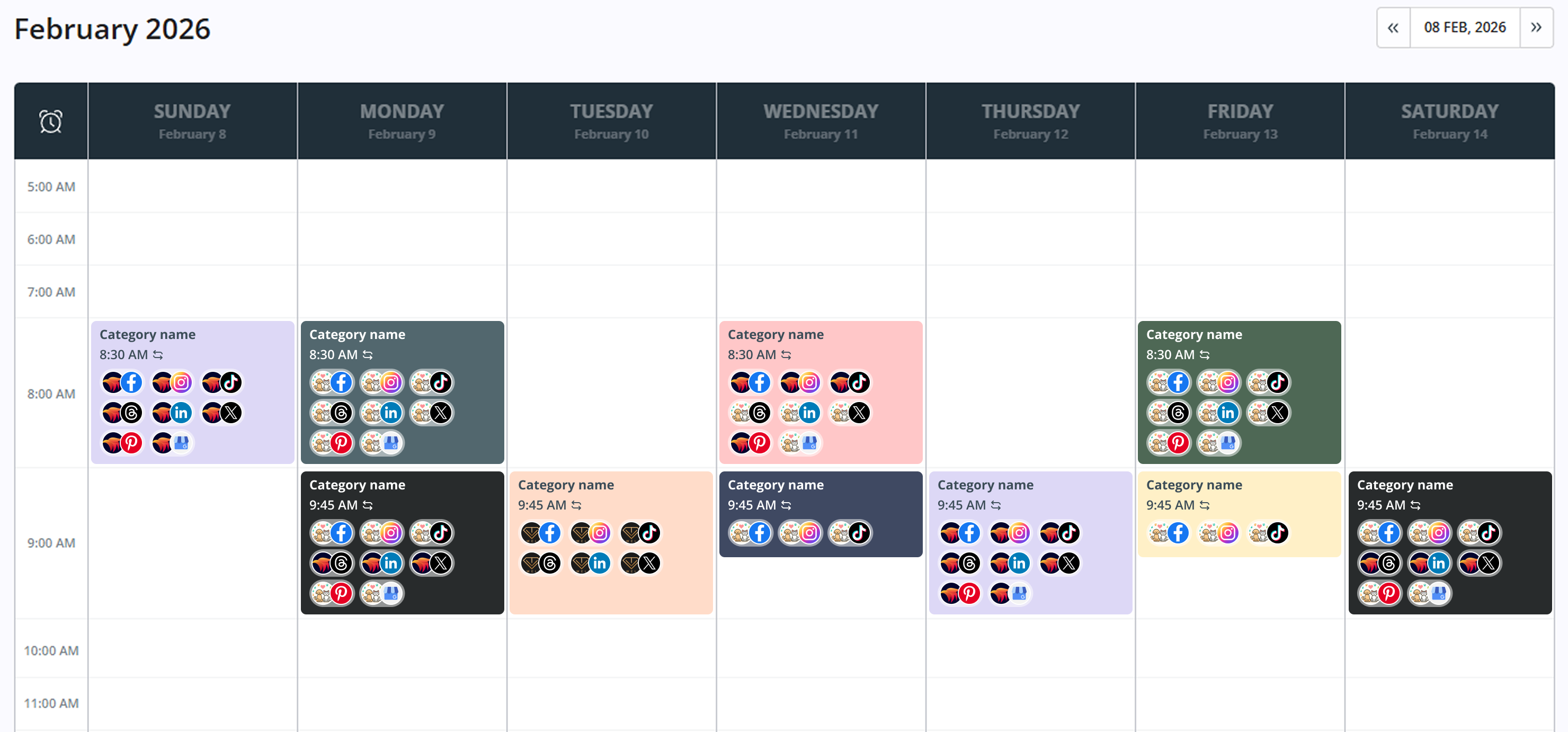
- Bulk import via CSV. This is the fastest option if you already have content ready. Prepare a spreadsheet with your captions (and any media references), then upload it directly to MeetEdgar. You can create dozens of Bluesky posts in one go — no manual copy-pasting required.
- RSS feed auto-import. If you publish a blog, you can connect your RSS feed to MeetEdgar and it will automatically pull new posts into your content library. From there, you can adapt the captions for Bluesky and let them go out on schedule.
The bulk scheduling guide on the MeetEdgar blog walks through each method in detail: How to Bulk Schedule Your Social Media Posts.
Schedule Bluesky posts alongside other platforms
One of the biggest time-savers with a social media scheduler like MeetEdgar is that Bluesky doesn't live in its own silo. From the same dashboard where you schedule Instagram posts, manage LinkedIn, and queue up Facebook content, you can also plan and publish to Bluesky — all in one workflow.
This matters more than it sounds. Most social media managers and small business owners aren't just on Bluesky. They're juggling three, four, or five platforms at once. Jumping between apps to post separately to each one wastes time and makes it harder to stay consistent anywhere.
With MeetEdgar, you can:
- Create once, publish everywhere. Write a post in the composer, select multiple platforms (including Bluesky), and adapt the copy for each one before scheduling. If you're new to this approach, check out our guide on cross-posting content across social media platforms.
- Manage all your accounts from one content library. Your Bluesky posts sit alongside your Instagram, LinkedIn, and Facebook content — categorized, searchable, and ready to recycle.
- See your full schedule in one calendar. No more mental gymnastics trying to remember what's going out where and when.
If you're already using MeetEdgar for other platforms, adding Bluesky takes less than five minutes. Connect your account, and it's in the same queue as everything else.
FAQ: Scheduling Bluesky posts
Does Bluesky have a native post scheduler?
No. As of 2026, Bluesky doesn't support scheduling posts directly in the app. You need a third-party tool like MeetEdgar to schedule in advance.
How do I schedule a post on Bluesky?
Connect your Bluesky account to MeetEdgar, write your post in the content composer, then choose "Schedule for Later" to set a date and time. Edgar will publish it automatically.
What types of content can I schedule to Bluesky?
MeetEdgar supports text posts and image posts for Bluesky. You can also use Inky, the built-in AI assistant, to generate captions.
What's the Bluesky character limit?
300 characters per post. You can add up to 4 images (JPEG or PNG), 1 GIF, or a video up to 3 minutes long (100 MB max).
Can I try MeetEdgar's Bluesky scheduler for free?
Yes. MeetEdgar offers a 30-day free trial with full access to all features, including Bluesky scheduling and the content library.
Will my Bluesky content feel automated or inauthentic?
Not if you approach it right. Use scheduled posts as your content foundation, and leave room for real-time participation — replies, threads, and spontaneous posts. The mix is what makes a Bluesky presence feel genuine.