In this article
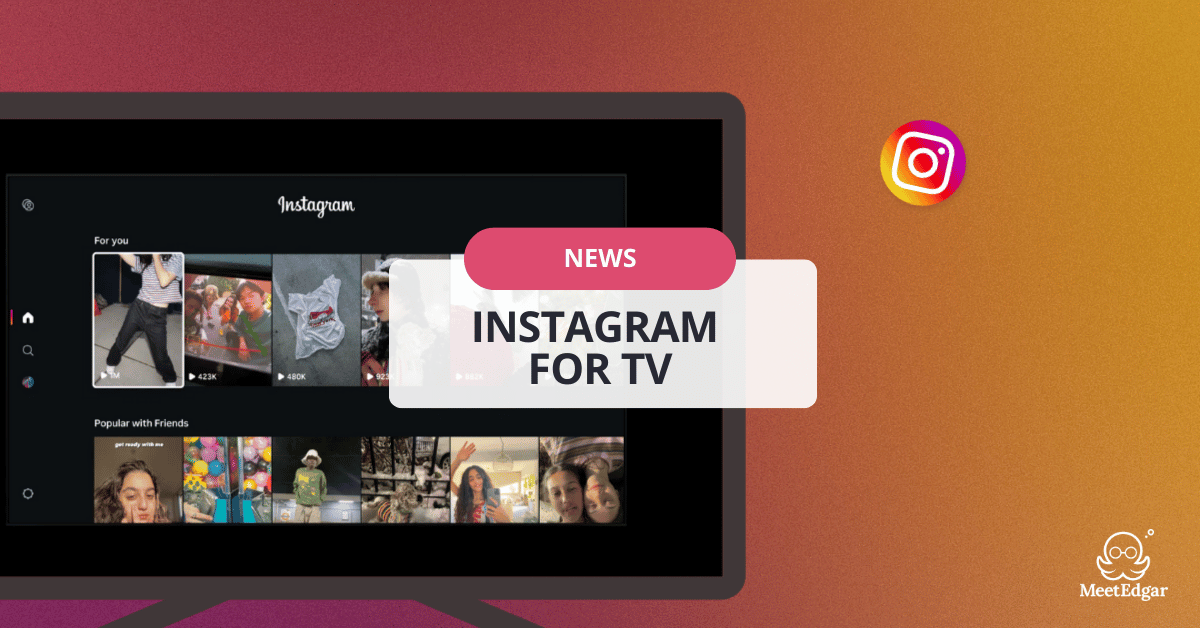
Meta has officially unveiled a dedicated Instagram for TV app, a strategic move that brings the endless scroll of Instagram Reels to your room.
While Meta isn’t calling it IGTV, the launch inevitably brings back memories of Instagram’s now-defunct long-form video app, raising one big question:
Is IGTV back… or is this something entirely different?
Let’s break down what Instagram for TV is, why Meta is doing this now, and what it could mean for creators, brands, and the future of social video.
What Is "Instagram for TV"?
Instagram for TV is a dedicated TV app announced by Meta that brings Instagram Reels to the big screen, with a simple interface built for remote-control navigation.
Instead of scrolling on your phone, you browse Reels through a TV-friendly interface designed for a remote and “lean-back” viewing, more like a streaming app than a mobile feed.

Right now, the newly launched app is in a testing phase, and Meta plans to explore and roll out new features over time.
For now, it’s only available in the U.S. on Amazon Fire TV devices. As the test continues, Meta plans to expand to more devices and countries.
Instagram for TV features and how it works
Instagram’s TV experience is built to feel closer to a “channel surfing” model than a typical mobile feed. It features:
Reels organized into “channels”
When you log in, Reels are grouped into channels based on interests—examples Instagram has given include:
- new music
- sports highlights
- hidden travel gems
- trending moments
This channel-based format mirrors how streaming platforms organize content and makes it easier to browse without touch-based scrolling.
This is important because it changes the mental model from: “I scroll until I find something” to “I pick a channel vibe and let it play.”
Remote-Friendly UI
A layout similar to YouTube’s Connected TV (CTV) interface, making it easy to navigate with a standard remote.
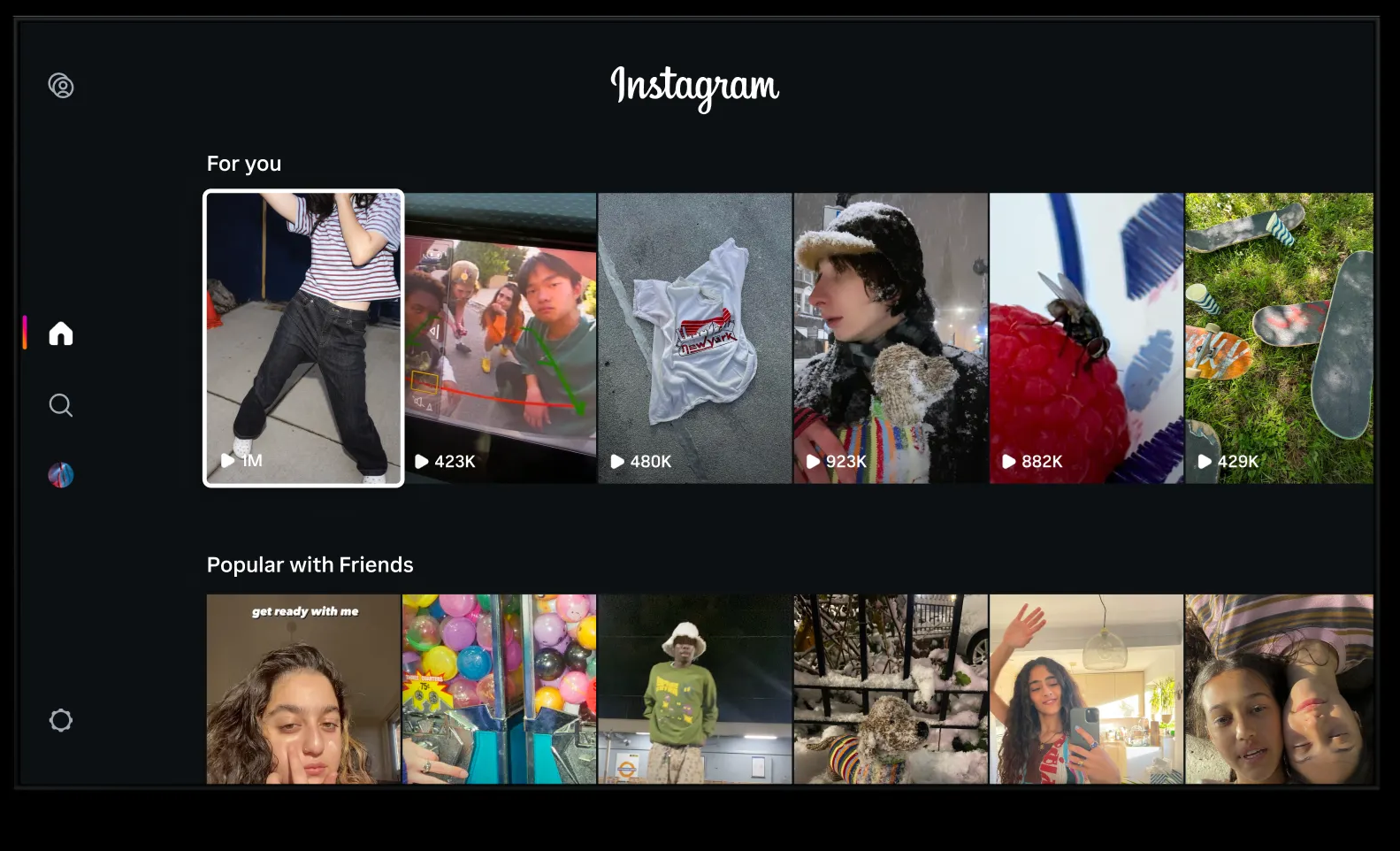
Instagram has said it’s actively testing ways to make “channel surfing” feel intuitive, similar to flipping through TV channels rather than swiping through a phone feed.
Autoplay videos
Once a channel is selected, Reels autoplay continuously, allowing viewers to sit back and watch without needing to actively search for the next video.
So, once you choose a Reel, more Reels play automatically with full sound, so you don’t have to hunt for the next video.
Multi-Account Support
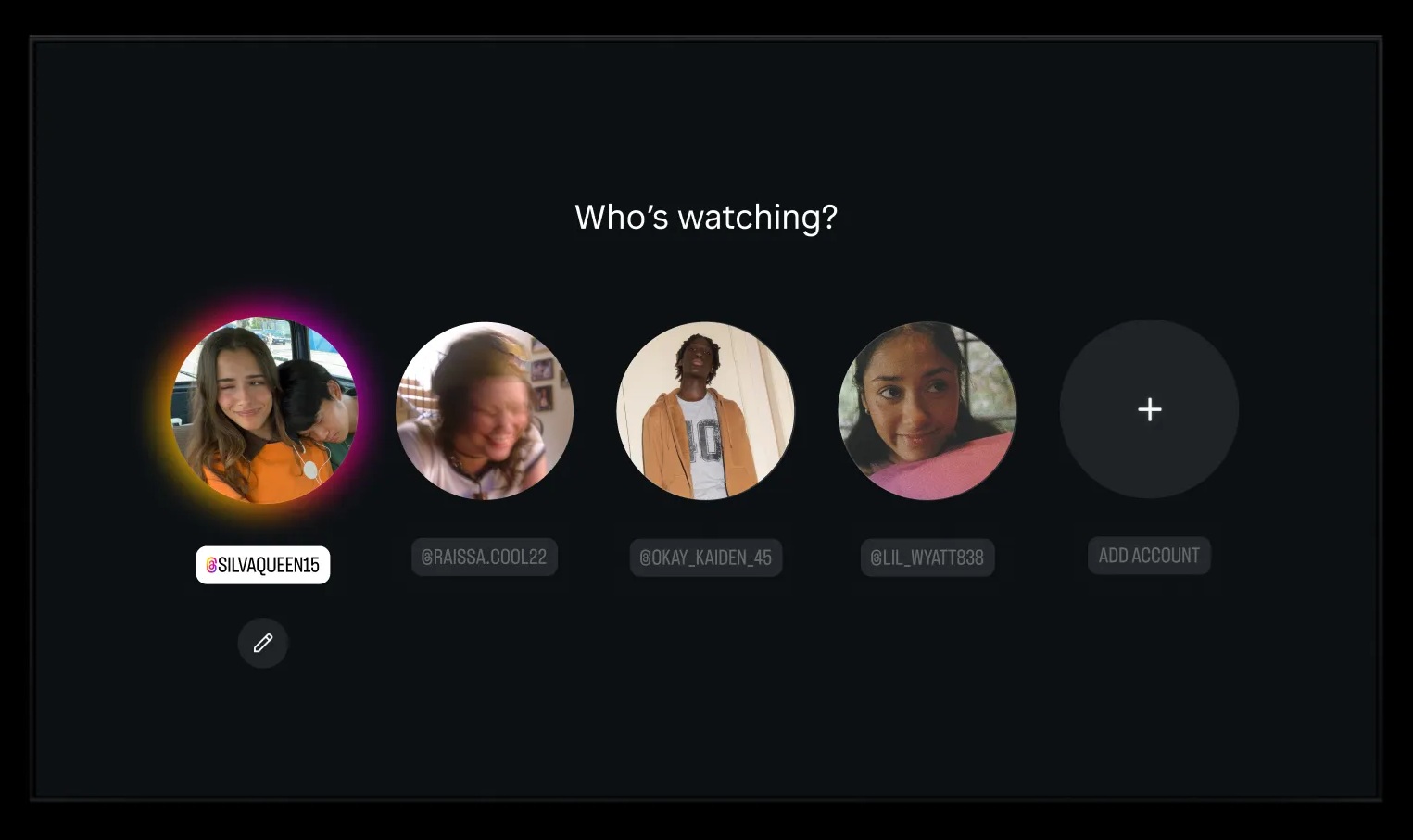
Instagram for TV supports up to five accounts, so different people in the same households can add up to five different accounts, ensuring everyone gets a personalized feed without messing up the algorithm for others. It also allows creating a separate TV-only account that isn’t linked to your main profile.
Search + creator discovery is built in
Instagram says Search makes it easier to find creators, browse Reels-centric profiles, and explore interests. This can be useful for households who want to “put on” a specific creator like they might put on a show.
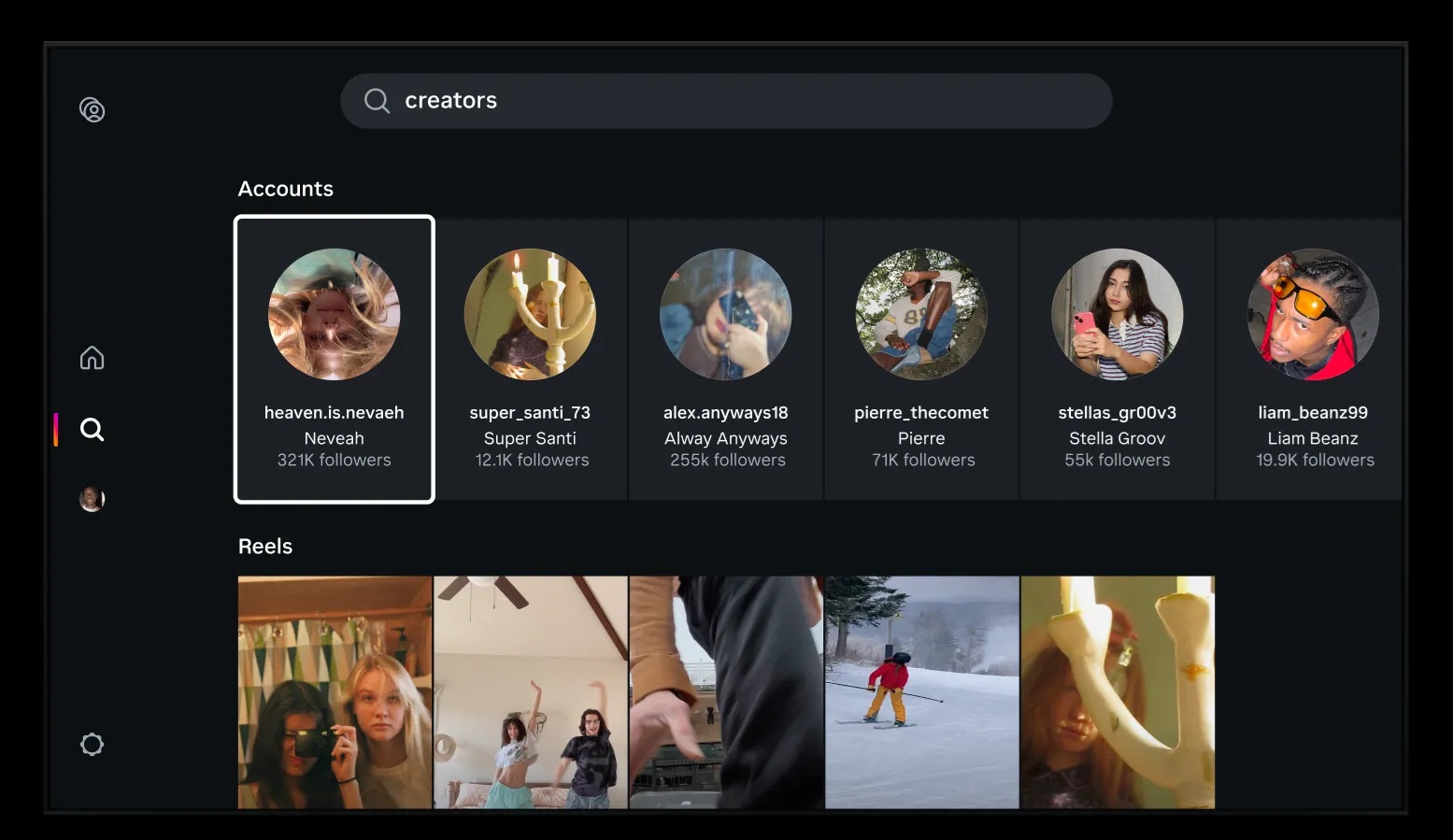
Search functionality allows users to:
- Find specific creators
- Browse Reels-centric creator profiles
- Explore topics and trends
Quick tutorial: how to use Instagram for TV (Fire TV)
If you’re in the U.S. and own an Amazon Fire TV device (including the Fire TV Stick 4K Max or Omni QLED Series), you can download the Instagram for TV app today from the Amazon Appstore and follow the steps:
- Install the Instagram app on your Amazon Fire TV
- Sign in to your Instagram account
- Optionally, you can also set it up through the Settings and activity menu in the Instagram mobile app
- Add up to five accounts if multiple people will use the TV app
- Start watching by choosing a channel, then let Reels autoplay
Is this IGTV coming back?
While many are whispering "IGTV is back," this is a different product. Unlike the ill-fated IGTV app (shuttered in 2022), which tried to force long-form vertical video on a mobile audience, the new TV app doubles down on what's already working: Reels.
IGTV was launched in 2018, as a new app for watching long-form, vertical video and it positioned itself as “television for mobile”. In 2022, Meta officially shut down the standalone IGTV app, folding video more tightly into Instagram and shifting its focus to Reels—short, algorithm-driven content that better matched user behavior.
So, Instagram for TV is not exactly an IGTV 2.0, but the comparison is unavoidable.
What’s different from IGTV (2018–2022):
- IGTV focused on long-form video
- Instagram for TV is Reels-only
- IGTV tried to change creator behavior; this builds on existing habits
- Reels already generate massive engagement and revenue
So, the concept is familiar (Instagram video on a big screen), but the content strategy is the opposite. In short, IGTV asked users to adopt something new with longer, creator shows. Instagram for TV simply moves what already works (short, fast, algorithmic video) to a bigger screen.
What’s coming next
Instagram has been explicit that this is a test and the experience will evolve. Features it says it may explore include:
- Compatibility with other TV devices
- Using your phone as a remote
- More intuitive ways to channel surf
- Shared feeds with friends
- Easier ways to keep up with favorite creators in one place
Is social media moving to TV? The bigger trend
Why Meta is going this now? Well, Instagram isn’t alone in trying to make social video work on TV.
This move makes more sense when you zoom out. TV has become a major battleground for streaming attention, and social-video platforms want in.
YouTube set the benchmark
YouTube has essentially validated the opportunity. Global users watch over 1 billion hours of YouTube on TV sets every single day. And the Reels competitor, YouTube Shorts views on TVs grew by 100% over the past year.
What’s important here isn’t just scale, it’s behavioral validation. YouTube proved that:
- Algorithmic discovery works on TV
- Short-form content (Shorts) can coexist with long-form viewing
- Advertisers are willing to spend real streaming dollars on creator-led content
TikTok also saw the opportunity early, launching its own TV app back in 2020. But unlike YouTube, TikTok struggled to make the living-room experience stick. In 2025, TikTok officially shut down TikTok TV, underscoring how hard it is to translate mobile-native behavior to another environment. However, there have been reports and industry chatter about TikTok exploring higher-quality, longer-form formats - the kind of content that could be more naturally TV-friendly if it ever returns to the space.
X (Formerly Twitter) and Others Testing the Waters
X has also signaled interest in TV-style distribution, especially around live content like sports, news, and events. It launched a beta version of X TV in September of 2024, aiming to encourage more video consumption beyond the traditional feed.
What this really signals
Social apps showing up on TV doesn’t mean people will suddenly “watch social media” like Netflix. But it does point to a future where social video lives across multiple screens, not just smartphones and where platforms compete for both your scrolling time and your couch time.
Why This Matters for Creators and Brands
The transition from "personal scrolling" to "group viewing" changes the game for content strategy. When people watch Reels on a TV, they often do so with friends or family. This shifts the vibe from a private, "doom-scrolling" session to a shared entertainment moment. If Instagram for TV expands, creators may start earning “TV attention” without changing formats, but they will need to adapt execution.
What you should keep in mind:
- Visual Quality: Lower-quality "lo-fi" content that looks fine on a small phone might feel grainy or distracting on a 4K display.
- Sound is Mandatory: On mobile, many users watch with sound off. On TV, sound is almost always on. Pacing and audio hooks are now more critical than ever.
- Longer is Okay: With YouTube successfully pushing 3-minute Shorts, and Instagram following suit, the "short-form" definition is expanding to fit the "lean-back" TV mindset.
"People were already mirroring their phones to TVs to watch Reels with friends. We're just making it easier." — Tessa Lyons, Instagram VP of Product
Also, expect content to feel more “public.” Watching a Reel alone is personal. Watching it with friends or family changes the vibe, and brands and creators who understand that dynamic may win more shares and repeat viewing.
The bottom line
Instagram for TV is Meta’s latest bet that Reels can be a format you watch together, not just something you scroll alone. Profiles on TV are simplified and optimized around video consumption rather than comments, DMs, or shopping features.
The launch is limited for now (U.S. + Amazon Fire TV + Reels-first channels) but it’s signals that Instagram wants to show up “where the eyeballs are,” including on the biggest screen in the house.
If you’re already creating Reels (or planning to), now’s a smart time to get organized.
You can try MeetEdgar for free and start scheduling your Reels so you’re ready for wherever Instagram shows them next: phone, feed, or TV screen.